

How to Create Your Invoice on PrepLounge
Creating your invoice on PrepLounge is quick and straightforward. Follow the steps below to ensure your invoice is submitted correctly and your payment is processed on time.
Creating your invoice on PrepLounge is quick and straightforward. Follow the steps below to ensure your invoice is submitted correctly and your payment is processed on time.
Invoices are created directly via your PrepLounge account. Once confirmed, the invoice is automatically sent to our system and processed for payment.
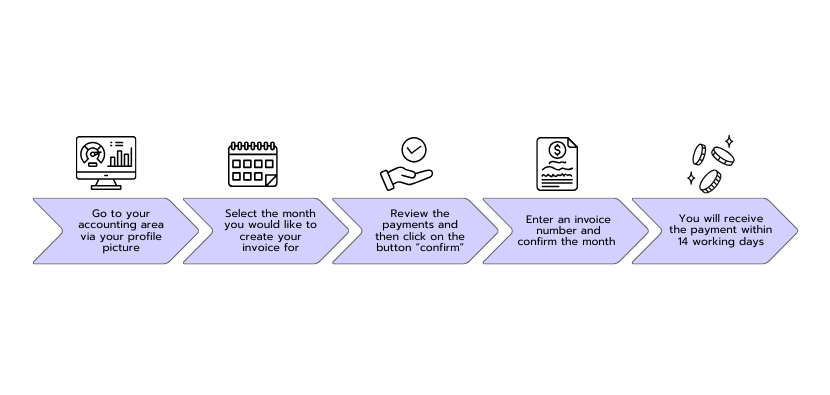
Navigation tip: Click on your profile picture in the top right corner and select Accounting. In the section “Your Monthly Invoices”, you’ll find the invoice for each month, which you can review and confirm.
Log in to your PrepLounge account and open the Accounting area. Here you’ll find an overview of your revenue and all invoice-related actions.
👉 https://www.preplounge.com/en/accounting
In the Your Monthly Invoices section, use the dropdown menu to select the month for which you want to create an invoice.
Carefully review all payments listed for the selected month.
⚠️ Once confirmed, the invoice is automatically submitted to our system.
Enter your invoice number and confirm the selected month.
By clicking “Confirm month”, your invoice is finalized and sent to PrepLounge.
After your invoice is confirmed: